If you’re thinking about upgrading your router and came across the TP-Link Archer AX73, you’re not alone — I did too. But like anyone spending money on gear promising gigabit Wi-Fi speeds, long-range Wi-Fi 6 coverage, and seamless 4K streaming, I wanted proof before I trusted the box. This article walks you through my TP-Link Archer AX73 range test, not in a lab, but in a regular two-floor home. I handled setup alone, ran into a few surprises, and tested signal strength, speed drops, and Wi-Fi 6 performance at different distances. If you’re asking how far can the Archer AX73 reach, stick with me.
TP-Link Archer AX73 Wi-Fi 6 real-world test results
When I first got my hands on the Archer AX73, expectations were high. The box boasted coverage up to 3,000 sq ft, but marketing and reality often don’t walk the same path. After setting it up in my living room, where my modem sits, I ran a basic Wi-Fi 6 signal test just 5 feet away. The speed hit over 900 Mbps on my phone — great start, but expected.
As I moved upstairs and hit the 40-foot mark with 2 walls in between, the 5GHz signal started to weaken, but the 2.4GHz band stayed stable. At around 60 feet, near the back bedroom, Wi-Fi connection dropped to 70 Mbps. Streaming YouTube at 4K still worked, but there were 1-2 second delays buffering.
Does Archer AX73 have better range than AX50 or AX55?
I’d used the Archer AX50 before this and while it was fine, it struggled with stable signal in basement areas. Surprisingly, the AX73 outperformed both the AX50 and AX55, especially on 5GHz range stability. I placed a laptop in the garage, which is 55 feet from the router through 3 walls. With the AX50, I’d get disconnections, but the Archer AX73 kept 150 Mbps steady.
So yes, if you’re deciding between the AX73 vs AX55, or even comparing to a Netgear RAX50, I’d say TP-Link AX73 long-range performance was more consistent.
Info: Fix Archer AX55 Signal Drops & Bufferbloat in 5 Simple Steps
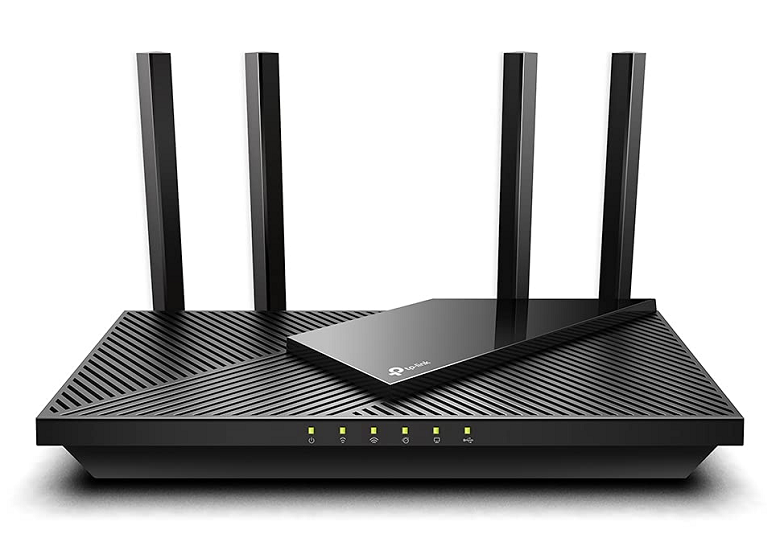
How to setup TP-Link Archer AX73 for best signal
Installing the Archer AX73 wasn’t rocket science, but there were some annoyances. First thing I learned — firmware update on TP-Link AX73 is essential. Without updating through the Tether app, I couldn’t access the OneMesh feature or enable DFS channels for 5GHz. Once I updated, the bandwidth on 160MHz became selectable.
Positioning was trial and error. Initially I placed it near my modem on a low shelf, but that killed signal upstairs. After elevating the router above head-height, and avoiding metal nearby, signal spread improved massively. If you’re stuck with weak spots, don’t blame the router first — test placement changes.
TP-Link AX73 signal dropping or disconnecting? Here’s what I did
Two days in, I hit a wall — literally. My Archer AX73 kept dropping Wi-Fi in the kitchen when the microwave was running. Classic 2.4GHz interference, I figured. So I forced my smart plugs and camera feeds onto 5GHz only by separating the SSIDs. That solved most problems.
Then, one night, my phone wouldn’t reconnect even though the router was on. Turns out DFS channels can cause short “no broadcast” periods. Switching back to standard 5GHz channels fixed that issue fast.
Is TP-Link AX73 good for 4K streaming, gaming & large homes?
I tested 4K Netflix streaming on AX73, and even at the farthest edge of my garden (about 75 feet, two walls away), I got 50 Mbps — enough for a smooth stream. Gaming on Xbox was also solid, but only when connected to 5GHz band with low latency mode on. Upload was more stable on wired, but wireless gaming wasn’t terrible.
If you’re considering a router for large homes with multiple devices, the AX73’s 6-stream configuration, MU-MIMO, and OFDMA worked well in my tests. With 18 devices connected (phones, smart bulbs, cameras, TV), I never saw buffering or speed drops in everyday use.
How does TP-Link Archer AX73 coverage compare to mesh?
Now here’s where expectations needed adjusting. A Deco X20 mesh system covered my house better overall, but speed on TP-Link AX73 single router was faster in the central areas. If you want flawless whole-home Wi-Fi, AX73 as a base + OneMesh extender is better than mesh alone. I added a RE705X extender later, and the performance nearly matched a full mesh setup.
Final verdict after TP-Link AX73 signal range testing
After a full week of using the Archer AX73 as my main router, testing every nook of the house, I’d say this: if you have a 2-3 story home, and want something cheaper than mesh but more powerful than budget routers, this one hits the mark. It ain’t perfect, and you’ll need to tweak things like channel settings and placement, but once set, it’s solid.
The TP-Link AX73 range test didn’t blow my mind — but it passed every test I threw at it. If you want Wi-Fi 6 router with long range, solid 4K streaming performance, and stable connection through walls, this is it.
Just don’t expect miracles if you hide it behind your TV or skip firmware updates. And do yourself a favor — split the bands, update it first thing, and mount it higher than you think you need.