So, you’ve got your hands on the Canon EOS R6 Mark II—awesome choice! But like any high-end mirrorless camera, it’s not without its quirks. I’ve been using this beast for months now, and while it’s a powerhouse for 4K video and low-light performance, I’ve run into a few Canon R6 Mark II issues that made me scratch my head.
If you’re searching for Canon EOS R6 Mark II overheating solutions, autofocus problems, or battery drain fixes, you’re in the right place. I’ll break down the most common EOS R6 Mark II problems and how I solved them (or learned to live with them).
Overheating Issues During 4K Video Recording
One of the biggest complaints about the Canon R6 Mark II is its tendency to overheat in 4K. I was filming a wedding when the dreaded temperature warning popped up—not ideal mid-ceremony! Turns out, the R6 Mark II overheating problem isn’t as bad as the original R6, but it’s still there.
To minimize this, I switched to 4K 30fps instead of 60fps when possible and used an external fan. Also, disabling IBIS (In-Body Image Stabilization) in extreme heat helped. If you’re doing long shoots, consider an external recorder to bypass internal heat buildup.
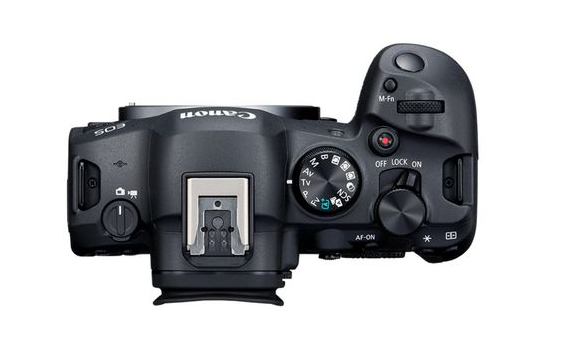
Autofocus Glitches in Low Light
The Dual Pixel CMOS AF II system is usually flawless, but I noticed some autofocus problems in dimly lit scenes. The camera would sometimes hunt or lock onto the wrong subject, especially in backlit conditions.
After some testing, I found that switching to Servo AF and tweaking the AF sensitivity in the menu improved tracking. Also, using a fast prime lens (like the *RF 50mm f/1.2*) made a huge difference in low-light performance.
Unexpected Battery Drain
The *LP-E6NH battery* is decent, but the R6 Mark II chews through it faster than I expected. During a day-long shoot, I had to swap batteries three times! The biggest culprits? High-speed continuous shooting and leaving Wi-Fi/Bluetooth on.
Now, I always carry at least two spares and turn off unnecessary connections when not in use. If you’re doing wildlife photography, a battery grip is a smart investment.
Rolling Shutter in Electronic Shutter Mode
The 40fps electronic shutter is insane for action shots, but rolling shutter distortion can ruin fast-moving subjects. I noticed it badly when shooting sports—athletes looked like they were bending!
Switching to mechanical shutter for panning shots fixed it, though you lose the insane burst rate. For most scenarios, the 20fps mechanical mode is still plenty fast.
Card Slot Errors with CFexpress Cards
I love the dual card slots (SD + CFexpress), but I’ve had a few card errors with third-party CFexpress cards. Once, the camera froze mid-shoot, forcing a restart.
Sticking to SanDisk Extreme Pro or Canon-approved cards eliminated the issue. Also, formatting cards in-camera (not on a computer) seems to help.
Is the Canon EOS R6 Mark II Worth It?
Despite these Canon R6 Mark II problems, it’s still one of the best hybrid cameras out there. The dynamic range, IBIS, and AI-powered autofocus make it a beast for both photography and videography. Most issues have workarounds, and Canon’s firmware updates keep improving things.
If you’re on the fence, don’t let these quirks scare you—just be prepared to tweak settings and adapt. And hey, no camera’s perfect, right?
Got your own EOS R6 Mark II headaches? Drop ’em in the comments—maybe I’ve found a fix!