The Ola S1 Pro has quickly become one of the most talked-about electric scooters in India, praised for its performance, design, and smart features. However, like any new technology, it comes with its own set of challenges. Many users have reported issues related to battery life, range anxiety, and software glitches.
If you’re an Ola S1 Pro owner facing these problems, you’re not alone. This in-depth guide will explore the most common Ola S1 Pro problems and provide practical solutions to enhance your riding experience. From optimizing battery performance to fixing software bugs, we’ve got you covered.
1. Ola S1 Pro Battery Issues & How to Extend Battery Life
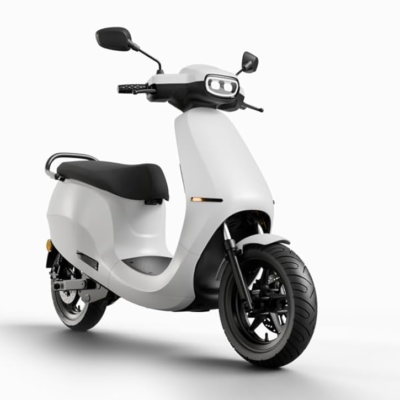
One of the biggest complaints from Ola S1 Pro riders revolves around battery drain and inconsistent charging cycles. Some users notice that the battery percentage drops faster than expected, especially in Eco mode.
Common Battery Problems
-
Rapid battery depletion in stop-and-go traffic
-
Charging time taking longer than advertised
-
Battery overheating during fast charging
Proven Solutions to Improve Battery Health
To maximize your Ola S1 Pro battery life, follow these tips:
-
Avoid frequent fast charging—opt for regular charging instead.
-
Keep the scooter in a cool, shaded area to prevent battery overheating.
-
Use Normal mode instead of Sport mode for daily commutes to reduce battery strain.
By adopting these habits, you can significantly improve battery longevity and reduce unexpected power drops.
2. Ola S1 Pro Range Anxiety: How to Get the Most Out of a Single Charge
Range anxiety is a real concern for many electric vehicle owners, and the Ola S1 Pro is no exception. While Ola claims a maximum range of 181 km, real-world conditions often result in lower numbers.
Why Does the Ola S1 Pro Range Fluctuate?
Several factors impact the actual range:
-
Riding mode (Sport mode drains the battery faster than Eco mode)
-
Terrain (hilly areas reduce efficiency)
-
Rider weight and payload (heavier loads decrease range)
How to Maximize Your Ola S1 Pro’s Range
-
Stick to Eco mode for city commutes—this optimizes energy consumption.
-
Maintain proper tire pressure—underinflated tires increase rolling resistance.
-
Plan your route to avoid steep inclines and heavy traffic.
Implementing these strategies can help you squeeze out extra kilometers per charge, reducing range anxiety.
3. Ola S1 Pro Software Glitches & How to Fix Them
The Ola S1 Pro boasts advanced software features, including regenerative braking, cruise control, and OTA updates. However, some users encounter software bugs that affect performance.
Most Reported Software Issues
-
Unresponsive touchscreen delays
-
Cruise control not engaging properly
-
OTA updates failing to install
Troubleshooting Software Problems
-
Restart the scooter—a simple reboot can fix minor software glitches.
-
Check for pending updates—Ola frequently releases bug-fixing patches.
-
Reset to factory settings if persistent issues occur (backup data first).
Keeping your Ola S1 Pro’s software up to date ensures smoother functionality and access to the latest features.
Optimizing Your Ola S1 Pro Experience
While the Ola S1 Pro is a revolutionary electric scooter, it’s not without its flaws. By addressing battery concerns, improving real-world range, and staying on top of software updates, you can enjoy a hassle-free ride.
Have you faced any other Ola S1 Pro problems? Share your experiences in the comments, and let’s help each other find the best solutions!