Are you struggling with Mi Smart Band 8 problems like battery drain, sync issues, or an unresponsive screen? You’re not alone! Many users face these frustrating Mi Band 8 issues, but the good news is that most of them have simple fixes.
In this detailed guide, we’ll cover the most common Xiaomi Mi Smart Band 8 glitches and provide step-by-step solutions to get your fitness tracker back on track. Whether your device won’t sync with your phone, the battery dies too fast, or the touch screen isn’t working, we’ve got you covered.
Let’s dive into the troubleshooting steps to resolve these Mi Band 8 problems once and for all!
1. Mi Smart Band 8 Battery Draining Too Fast – How to Fix?
One of the most reported Mi Smart Band 8 issues is rapid battery drain. If your band’s battery life is worse than expected, try these fixes:
Reduce Screen Brightness & Timeout
The Mi Band 8 AMOLED display is vibrant but consumes power. Lowering the screen brightness and shortening the screen timeout can significantly extend battery performance.
Disable Always-On Display
While the always-on display feature is useful, it’s a major battery drain culprit. Turn it off in the Mi Fitness app under display settings.
Limit Notifications & Background Apps
Too many phone notifications syncing to your band can drain the battery. Customize which apps send alerts via the Mi Fitness app.
Restart & Update Firmware
Sometimes, a simple restart or firmware update can fix battery issues. Check for updates in the Mi Fitness app to ensure optimal performance.
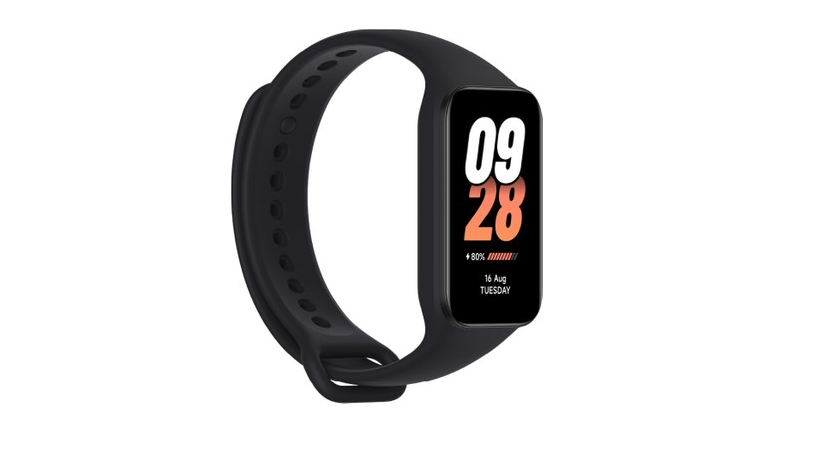
2. Mi Smart Band 8 Not Syncing with Phone – Quick Solutions
Another frustrating Mi Band 8 problem is when it won’t sync with your smartphone. If your health data isn’t updating, try these steps:
Reconnect Bluetooth & Restart Devices
First, disable and re-enable Bluetooth on your phone. Then, restart both devices to refresh the connection.
Reinstall the Mi Fitness App
A corrupted app can cause sync failures. Uninstall and reinstall the Mi Fitness app, then log in and reconnect your band.
Check App Permissions
Ensure the Mi Fitness app has permissions for location, Bluetooth, and background activity in your phone’s settings.
Reset Mi Band 8 to Factory Settings
If syncing issues persist, a factory reset might help. Go to Settings > System > Reset on your band.
3. Mi Smart Band 8 Touch Screen Not Working – Easy Fixes
Is your Mi Band 8 screen unresponsive or lagging? Here’s how to fix touch screen problems:
Clean the Screen & Remove Screen Protector
Dirt or a poorly fitted screen protector can interfere with touch sensitivity. Gently clean the display and remove any protector if present.
Restart the Band
A quick reboot can resolve temporary touch screen glitches. Hold the side button until the device restarts.
Update Firmware
An outdated software version may cause touch issues. Check for updates in the Mi Fitness app.
Perform a Factory Reset
If the screen remains unresponsive, a full reset might be necessary. Backup your data first, then reset via the settings menu.
4. Mi Smart Band 8 Not Tracking Steps or Heart Rate Accurately
If your Mi Band 8 fitness tracking seems off, follow these steps:
Wear the Band Correctly
For accurate heart rate monitoring, ensure the band sits snugly on your wrist, about a finger’s width above the wrist bone.
Calibrate Step Count
If step tracking is inaccurate, try resetting the pedometer by restarting the band or recalibrating in the Mi Fitness app.
Update Sensors & Software
Outdated sensor firmware can cause tracking errors. Always keep your band updated via the Mi Fitness app.
5. Mi Smart Band 8 Not Charging Properly – How to Fix?
If your Mi Band 8 won’t charge, try these troubleshooting steps:
Clean Charging Pins
Dust or sweat on the charging contacts can prevent charging. Use a dry cloth to clean both the band and charger.
Try a Different USB Port or Adapter
A weak power source may cause charging issues. Switch to a different USB port or adapter with at least 5V/1A output.
Check for Physical Damage
If the charging cable or pins are damaged, contact Xiaomi support for a replacement.
Keep Your Mi Band 8 Running Smoothly
While the Mi Smart Band 8 is a fantastic fitness tracker, occasional glitches are inevitable. By following these troubleshooting steps, you can resolve battery, sync, and screen issues quickly.
If problems persist, reach out to Xiaomi customer support for further assistance. Got any other Mi Band 8 problems we didn’t cover? Let us know in the comments!