If you’re struggling with your Garmin Epix Pro not connecting to your phone, you’re not alone. Many users face this frustrating issue, but the good news is that most problems can be resolved with a few simple steps. Whether it’s a Bluetooth pairing failure, sync issues, or a software glitch, this comprehensive guide will walk you through every possible solution.
We’ll cover everything from basic troubleshooting steps to advanced fixes, ensuring your smartwatch stays linked to your mobile device seamlessly. Let’s dive in and get your Garmin Epix Pro back in action!
Why Is My Garmin Epix Pro Not Connecting to My Phone?
Several factors can cause connection problems between your Garmin Epix Pro and your smartphone. The most common culprits include Bluetooth interference, outdated firmware, incorrect device settings, or even temporary software bugs.
Sometimes, simply restarting both devices can resolve the issue. Other times, you may need to re-pair them or adjust permissions in your phone’s settings. Below, we’ll explore all possible reasons and their fixes in detail.
Basic Troubleshooting Steps for Garmin Epix Pro Connection Issues
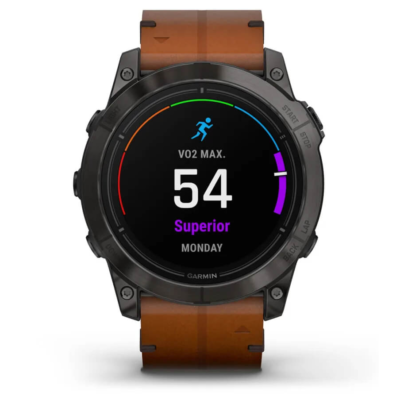
Before diving into complex solutions, let’s start with the basics. These quick fixes often resolve minor connectivity problems without much effort.
1. Restart Both Your Garmin Epix Pro and Phone
A simple reboot can clear temporary software glitches that may be preventing a stable Bluetooth connection. Turn off both devices, wait a few seconds, and power them back on.
2. Check Bluetooth Settings on Your Phone
Ensure Bluetooth is enabled on your smartphone and that your Garmin Epix Pro is discoverable. Sometimes, toggling Bluetooth off and on can refresh the connection.
3. Ensure Devices Are Within Range
Bluetooth has a limited range (typically 30 feet). If your phone and watch are too far apart, they may fail to sync. Bring them closer and try reconnecting.
Advanced Fixes for Persistent Garmin Epix Pro Connection Problems
If the basic steps didn’t work, don’t worry—there are more in-depth solutions to try.
4. Forget and Re-Pair Your Garmin Epix Pro
Go into your phone’s Bluetooth settings, locate your Garmin Epix Pro, and select Forget This Device. Then, initiate a fresh pairing process from your watch’s settings.
5. Update Garmin Connect App and Watch Firmware
An outdated Garmin Connect app or watch firmware can cause compatibility issues. Check for updates in the Garmin Connect app and install any available software patches.
6. Reset Network Settings on Your Phone
Sometimes, corrupted network configurations disrupt Bluetooth functionality. Resetting your phone’s network settings (found in Settings > System > Reset) can help.
Still Not Working? Try These Last-Resort Solutions
If your Garmin Epix Pro still refuses to connect, these final steps should do the trick.
7. Factory Reset Your Garmin Epix Pro
A factory reset erases all data but often resolves deep-seated software conflicts. Navigate to Settings > System > Reset on your watch and follow the prompts.
8. Contact Garmin Support
If all else fails, Garmin’s customer support can provide specialized assistance. They may identify a hardware defect or offer a firmware patch not yet available to the public.
Keeping Your Garmin Epix Pro Connected
Dealing with a Garmin Epix Pro that won’t connect to your phone can be frustrating, but most issues are fixable. By following these troubleshooting steps, you should be able to restore Bluetooth functionality and enjoy seamless smartwatch integration again.
If you found this guide helpful, share it with fellow Garmin users facing similar connection problems. And if you have any additional tips, drop them in the comments below!