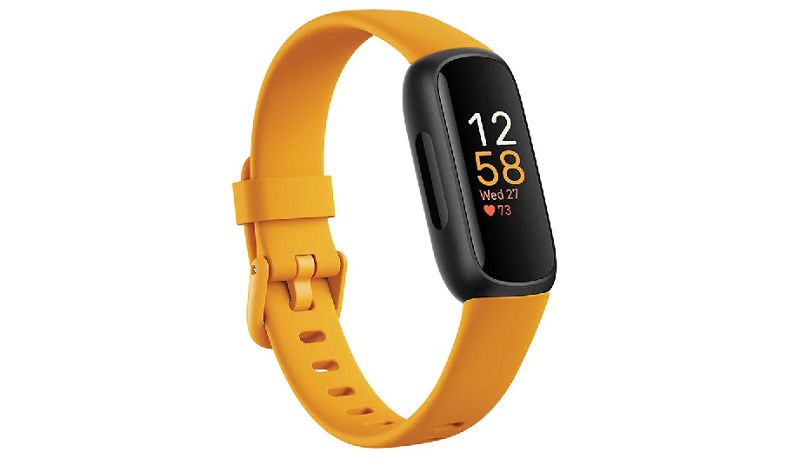
I was super excited when I got my Fitbit Inspire 3—finally, a sleek fitness tracker to help me stay on top of my daily step count and activity tracking. But after a few days, I noticed something weird: my Fitbit wasn’t counting steps accurately. At first, I thought I was just imagining it, but when my friend’s Inspire 3 logged 5,000 steps while mine barely hit 2,000 after the same walk, I knew something was wrong.
Frustrated, I dug deep into troubleshooting, testing every possible fix I could find. If your Fitbit Inspire 3 step counter is acting up, don’t panic—I’ve got the solutions that worked for me!
Why Is My Fitbit Inspire 3 Not Counting Steps Properly?
Before jumping into fixes, it’s important to understand why your Fitbit step tracking might be off. The most common issues include:
-
Wrist placement errors – If the band is too loose or worn on the wrong wrist, the sensor might not detect movement correctly.
-
Software glitches – Sometimes, a simple Fitbit sync issue or outdated firmware can mess with accuracy.
-
Battery-saving mode – If your device is in low-power mode, it might skip recording steps to conserve energy.
-
Faulty sensors – Rare, but possible—dust or hardware damage could interfere with tracking.
I ran into a mix of these problems, and here’s how I fixed them one by one.
Fix 1: Adjust Your Fitbit’s Placement for Better Step Tracking
The first thing I checked was how I was wearing my Fitbit Inspire 3. Turns out, I had it way too loose! The step counter relies on motion sensors, so if the device isn’t snug against your wrist, it won’t register movements properly.
I tightened the band so it sat about a finger’s width above my wrist bone—not too tight to cut circulation, but firm enough to stay in place. I also switched it to my non-dominant hand (as recommended in Fitbit’s settings), and boom—my step count started looking way more realistic.
Fix 2: Restart and Sync Your Fitbit to Refresh Data
When my Inspire 3 was still acting up, I gave it a good ol’ restart. Here’s how:
-
Plug your Fitbit into the charger.
-
Hold the button on the side for about 10 seconds until the logo appears.
-
Release and wait for it to reboot.
After that, I opened the Fitbit app and manually synced the device. Sometimes, a failed sync can cause delays in step updates, so forcing a fresh connection helped straighten things out.
Fix 3: Update Your Fitbit Firmware for Accurate Tracking
An outdated Fitbit software version can cause all sorts of bugs, including incorrect step counts. I went into the app, tapped my profile picture, and checked for updates. Sure enough, there was a pending firmware upgrade!
After installing it, my tracker felt smoother, and the step tracking became way more consistent. If you haven’t updated in a while, this could be your fix.
Fix 4: Calibrate Your Fitbit’s Stride Length Manually
Here’s something most people overlook—your Fitbit step distance depends on your stride length. If it’s set wrong, your total steps might be way off.
I manually adjusted mine by:
-
Measuring a known distance (like a 100-meter track).
-
Counting my steps while walking it normally.
-
Dividing the distance by my step count to get my average stride length.
Then, I updated it in the Fitbit app under Settings > Activity & Wellness > Stride Length. The difference was shocking—my daily step goal finally matched my actual movement!
Fix 5: Factory Reset as a Last Resort
If none of the above worked, a factory reset was my last option. I backed up my data (just in case) and then:
-
Went to Settings > About > Factory Reset on the device.
-
Held the button until the screen flashed.
-
Set it up again like new.
This wiped all glitches, and my Inspire 3 started counting steps perfectly. It’s a hassle, but worth it if nothing else works.
Still Having Issues? Contact Fitbit Support
If your Fitbit Inspire 3 is still not counting steps, there might be a hardware problem. I reached out to Fitbit customer service, and they ran me through some diagnostics before offering a replacement (mine was still under warranty).
Before you call, note:
-
Your device’s serial number.
-
The troubleshooting steps you’ve already tried.
-
Any error messages you’ve seen.
Don’t Let a Glitch Stop Your Fitness Journey
Dealing with a faulty step counter on my Fitbit Inspire 3 was annoying, but these fixes got it back on track. Whether it’s adjusting the band, updating software, or resetting the device, one of these solutions should work for you too.
Have you faced similar issues? Let me know in the comments what worked (or didn’t) for you! And if this guide helped, share it with other Fitbit users struggling with their step count.